How to Get FBS Markets Rebates for Existing Account
If you already have an FBS Markets trading account, you can receive forex rebates by transferring your account under our IB partnership. Please follow the steps below:
Option 1: For Existing Trading Accounts
- Login FBS personal area here
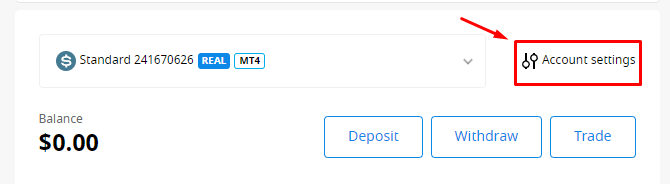
- Enter account settings for null by clicking trading account setting button

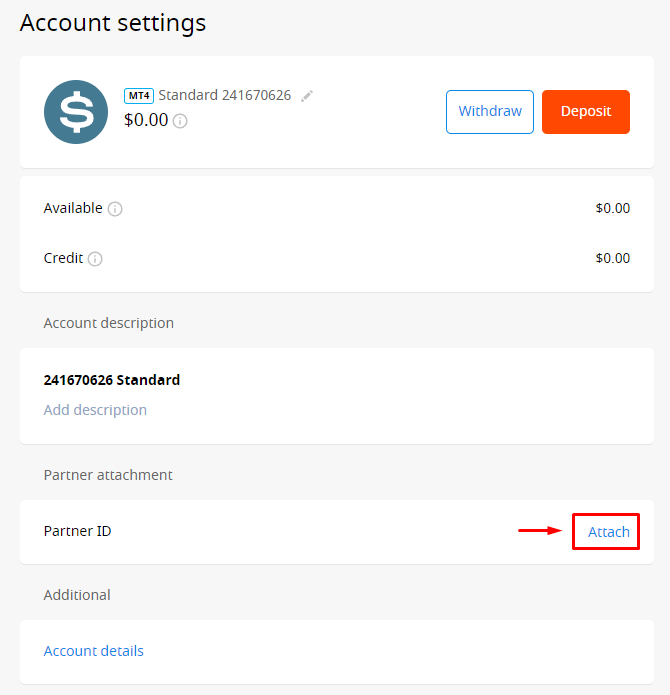
- Find the "Partner ID" option then click "Attach", if you cannot find the Attach button, it means your trading account is already registered under another IB and cannot be transferred to a different IB. Please follow Option 2 below by opening a new trading account.
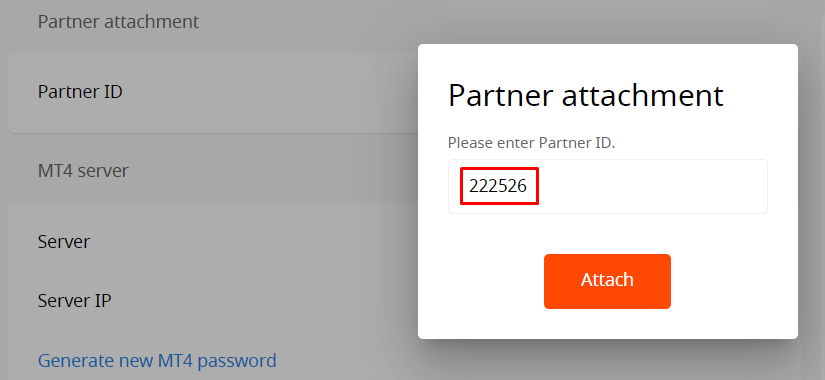
- Then input our IB code which is 222526, then click the "Attach" button
- Once you have received confirmation that your trading account has been successfully transferred under our IB partnership, please validate your account in the MyPipsbackFX member area. To do this, go to the "My Trading Account" menu and select "Trading Account Validation", if you are not yet a member, please signup here for free first.
Option 2: Create a New Trading Account
If option one above doesn't work because the "Attach" button doesn't appear because your account is already connected to another IB, then do option two below:
- Login FBS personal area here
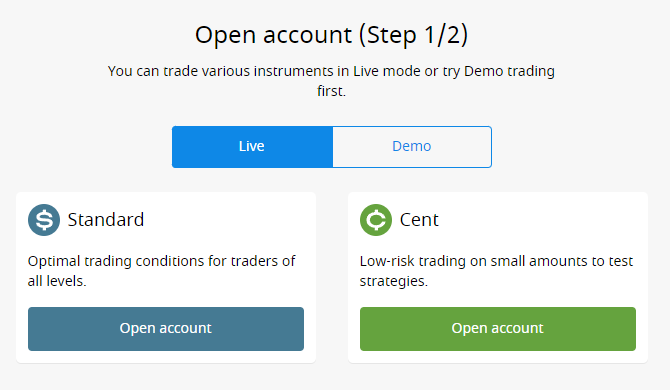
- Click here to open a new trading account via our IB link, make sure you have logged in to your FBS personal area and used the same browser and device when logging in.
- Choose trading account type, then fill in the form for opening a new trading account until complete.
- Please validate that new trading account in the MyPipsbackFX member area. To do this, go to the "My Trading Account" menu and select "Trading Account Validation"